My Experience Building mcp-unifi: Why We Built It, How We Chose MCP Over a Skill, and the Fun of an Open Source Project
mcp-unifi is an open source MCP server for managing a UniFi network in plain English. Why we built it, why it is a server and not a skill, and what running an open source project has taught me.

I wanted to take a moment to share a fun side project I’ve been working on with Claude over the past few months: mcp-unifi, an open source MCP server for managing a UniFi network. You decide what should change, and Claude carries it out. I want to cover three things: what it is and why we built it, why we chose an MCP server and the rules we follow on every project, and running an open source project, which has been more fun and more of a learning experience than I expected.
What it is and why we built it
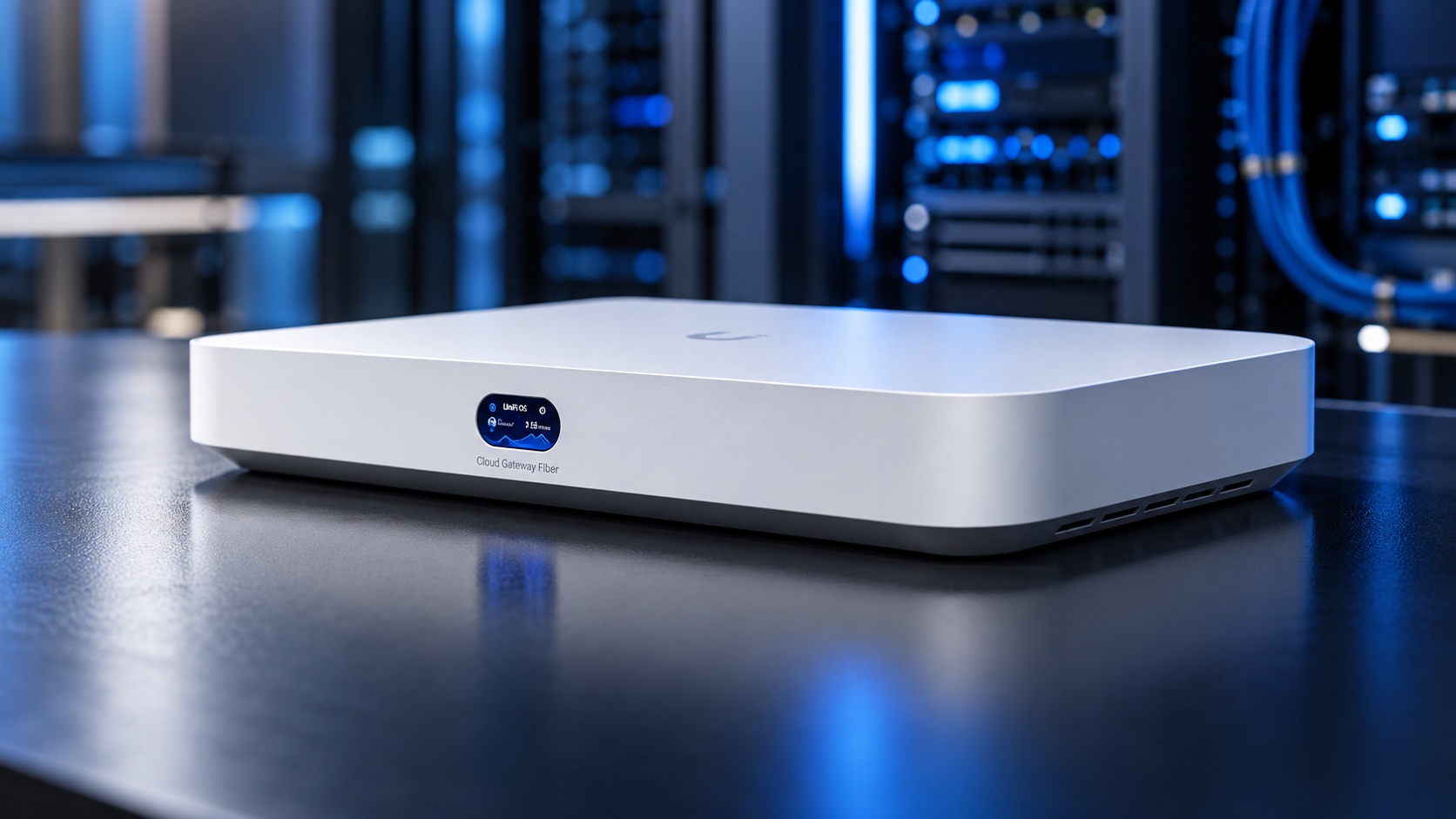
This spring Empire Access Fiber rolled out 2 gig internet in my neighborhood here in Ithaca, NY. Once we had it, my Google Nest WiFi topped out around 940 Mbps. A friend recommended Ubiquiti, so I ordered a UniFi Cloud Gateway Fiber.
Clicking through the UniFi app’s countless menus is tedious. And if you aren’t a native coder or command line user, typing commands or writing scripts against an API is just as tedious.
Then I realized UniFi had an API, and that’s when I knew I wanted in. With an API, Claude could help me push the changes while I used plain English.
While I was waiting for the hardware to ship, Claude and I started planning the layout for my network:
- A trusted network for our phones and laptops, my work laptop included
- An IoT network with its own WiFi name, for the smart speakers, printer, Chromecast and other gadgets
- A guest network that gets internet and nothing else
- A management network for my Linux homelab server, NAS and Mac mini
- VLANs to keep each of those separate, plus firewall rules so IoT and guest devices can’t reach the servers
- IPv6 with a /56 prefix from our ISP, which took a support ticket to sort out. The problem turned out to be on my side.
Why an MCP server, and the rules we follow on every project
As a general rule, I always start with a skill, because I don’t want to overengineer an MCP server when a skill will do. A skill is a set of instructions plus scripts that Claude runs. It’s less to maintain, and most of the time it’s enough. A server earns its place only when it does something a script can’t:
- It holds the credential, so Claude never sees it. With a script, the API key sits in a file Claude can read. With a server, the key stays on the server, and Claude only gets the results.
- It enforces a rule in code. A skill that says “always preview first” is a request. It lives in the same context window as everything else, so other text can outweigh it. A server that refuses to make a change without the right steps can’t be talked out of it, because no prompt reaches its code.
- It stays running. A long-running service can keep a login fresh, sync data in the background, or slow its own requests down.
- It serves something other than Claude. If another app depends on it, it needs to be a service.
- It works from anywhere. Claude Desktop, claude.ai and my phone can all reach a server on my homelab. A skill whose scripts need a local key or a LAN connection only works on a machine that has them.
If none of those is true, a skill with a script does the same job with less upkeep. Every server is one more thing to patch, and one more outage when the homelab is down.
If you’re asking yourself whether your own MCP servers are needed, ask Claude to check them against these rules. Or just ask Claude what its own rules are.
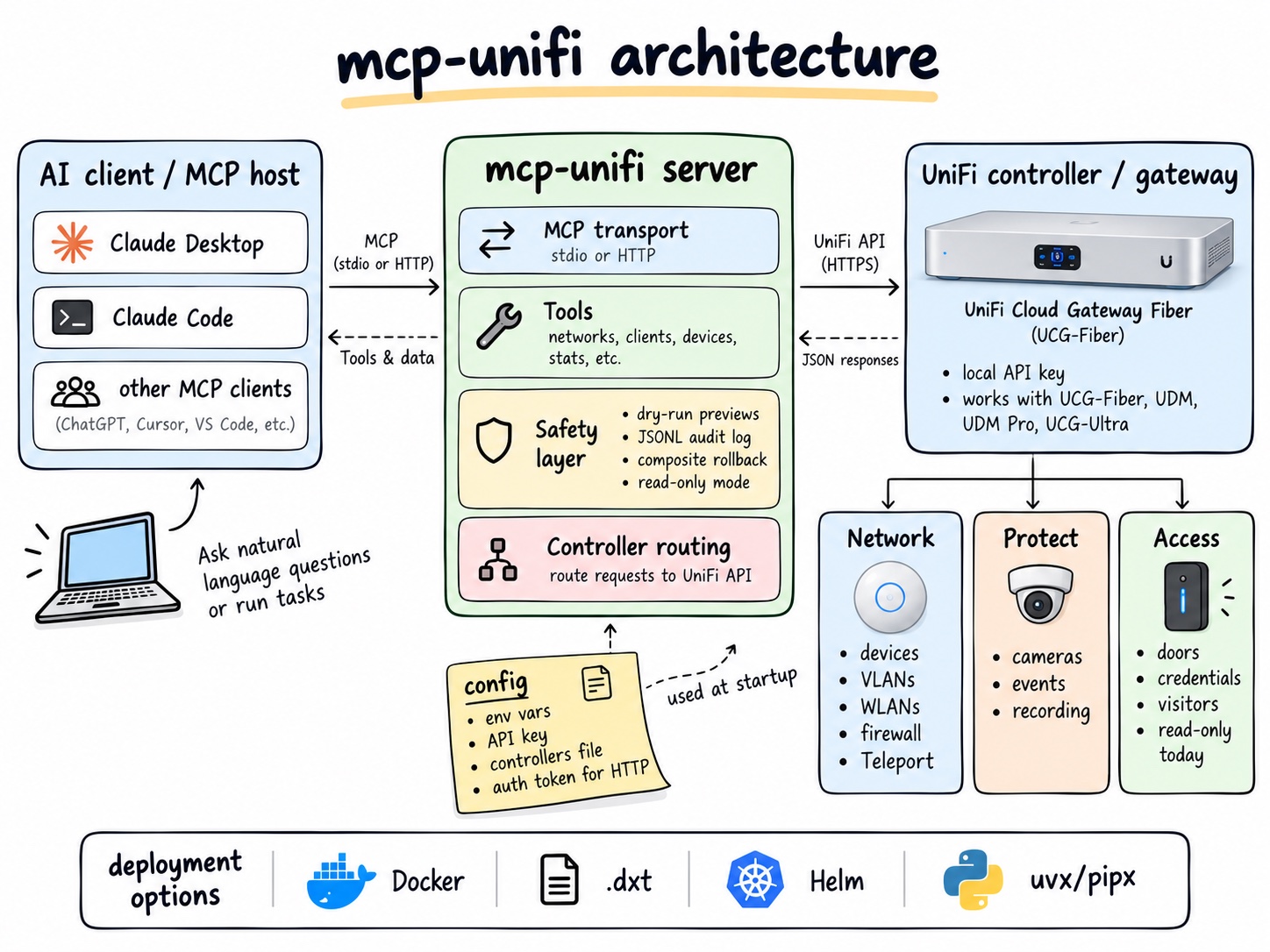
mcp-unifi passes the first two. It holds the gateway’s admin key, and its safety rules live in the server’s code.
Those safety rules come from the other rule I follow: security comes first, on every project. At Cornell I work with the IT Security Office, and I bring the same thinking home. For mcp-unifi that meant:
- Dry run previews. Every change can return exactly what it would do, without doing it.
- Rollback. Multi-step changes, like setting up an IoT network or a guest network, record the starting state and undo the finished steps if a later one fails.
- An audit log. Every call, dry run or real, is written to a log with secrets scrubbed.
- A read-only mode. Turn it on, and every tool that can change something is hidden and refused.
- A required login token. Over the network, the server won’t start without one.
- No cloud account and no stored passwords. It uses the gateway’s local API key.
- Signed releases and a private way to report security issues.
So far, two bugs were serious enough to publish security advisories, and both are patched. In September a sweep also found that 24 of 84 tools could echo a secret-shaped field back in their output. Now every response is scrubbed before it leaves the server.
Something I discovered along the way: UniFi’s official, documented API only covers devices and clients. Everything I needed, firewall rules, VLANs, WiFi networks, port forwards, lives in the undocumented API the UniFi app itself uses. Another open source project, sirkirby/unifi-mcp, helped us map those endpoints.
Today mcp-unifi has 106 tools across UniFi Network, plus Protect (cameras) and Access (doors) if you turn them on. One server can manage several UniFi sites, so it works for a small business as well as a house.
We made it easy to install, with several options depending on your environment:
- Claude Desktop installer (one click, no terminal)
- Docker container (for a home server)
- Helm chart (for Kubernetes)
- uvx (for Python users)
- Official MCP Registry listing (so MCP apps can find it)
Running an open source project
I’m not a programmer by trade. Claude Code writes the code. My part is deciding what it should do and checking that it works on my network.
I didn’t expect the open source side to be the most fun part, but it has been. I’ve loved learning how a project like this actually runs: triaging issues, cutting releases, publishing security advisories, and reviewing pull requests from people I’ve never met.
The best part is the people. It’s exciting when people use your project, and even more when they help build it.
In August someone running a UDM SE filed a bug: on newer UniFi firmware with the zone-based firewall, our firewall audit reported zero rules, as if there were no firewall at all. They had read the source before filing, and later sent redacted exports of their own firewall config so we could get the details right. That one report led to two fixes.
In September someone with two UDM Pro Max units filed a 14-item field report, every item with a suggested fix. We shipped most of it, and then they sent a pull request of their own adding support for a newer Protect API. They’re credited in the release notes.
Another collaborator is a company running mcp-unifi as an enterprise tool in their own copy. They sent their hardening work back, and it shaped our latest release: certificate pinning, and secrets loaded from files instead of environment variables.
Two of them run it on UniFi hardware I don’t have, which is testing I could never do myself.
Five months in:
- 1 outside contributor
- 24 stars and 4 forks
- 89 Claude Desktop installer downloads
- 35 tagged versions, v0.1.0 through v0.25.0
- 279 commits and 152 merged pull requests
- 1,327 tests
- 2 security advisories, both patched
mcp-unifi started as a way to set up my own home network without clicking through menus. Now other people run it on their own networks too, and it’s built around two rules I’ll keep using on every project: start with a skill, and put security first.
If you run Ubiquiti at home or at a small business, you might find it useful. It’s at github.com/pete-builds/mcp-unifi. Issues are welcome, and so is a note telling me what you’d want it to do next!